
For many small businesses, a WordPress website quietly becomes one of the most important parts of the business. It helps customers find you online, builds trust, answers questions, and often generates calls, appointments, and leads around the clock.
But many business owners do not realize how fragile a poorly maintained WordPress website can become over time.
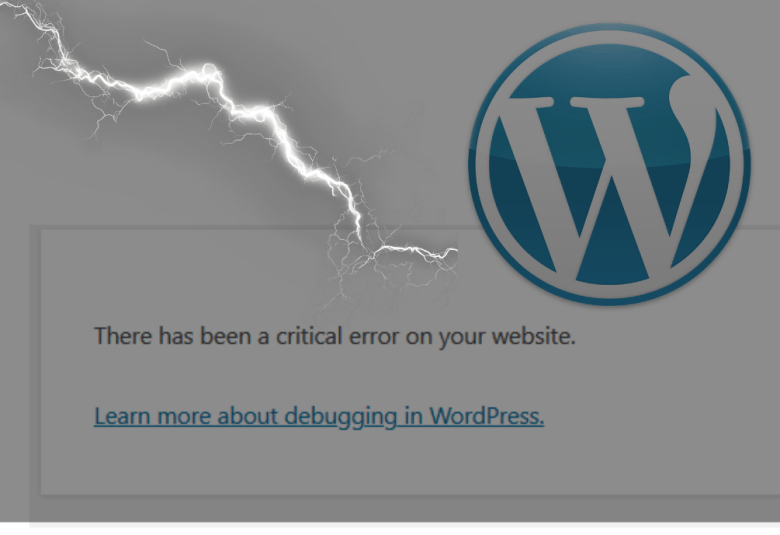
A single plugin conflict, malware infection, failed update, hosting issue, or security vulnerability can suddenly take an entire website offline. Overnight, in some cases, businesses lose years of content, search rankings, customer trust, and lead-generation capability.
At Charlottesville SEO Web Development, we regularly see businesses dealing with WordPress problems that could have been prevented with proper website management and long-term planning. The good news is that most catastrophic WordPress failures are avoidable.
Why WordPress Problems Can Become So Serious
WordPress is one of the most widely used website platforms in the world because it is flexible and powerful. However, that flexibility also creates complexity.
Most WordPress websites rely on a combination of:
- Core WordPress software
- Themes
- Plugins
- Hosting environments
- Security configurations
- Databases
- Third-party integrations
When all of these systems work together properly, the website runs smoothly. But when one part breaks, the effects can spread quickly.
For example:
- A plugin update may conflict with another plugin
- An outdated theme may create security vulnerabilities
- Cheap hosting may fail during traffic spikes
- Weak passwords may allow hackers to gain access
- Missing backups may prevent recovery after a crash
Business owners often assume their website is “fine” simply because it loads correctly today. Unfortunately, many WordPress failures build slowly behind the scenes before becoming visible.
The Most Common Catastrophic WordPress Problems
Malware and Website Hacks
One of the most damaging issues a business can face is a hacked website.
Hackers often target outdated WordPress installations because they know many small businesses neglect updates and security monitoring. Once a website is compromised, attackers may:
- Inject hidden links that weaken legitimate search rankings
- Redirect visitors to dangerous websites
- Steal contact form submissions
- Install malicious scripts
- Blacklist the website in search engines
In some cases, business owners do not even realize they have been hacked until customers report strange behavior or Google displays security warnings.
A hacked website can seriously damage customer trust and local search visibility.
Failed Updates
Many business owners understand they should update WordPress plugins and themes. However, updates can sometimes create compatibility issues if not handled carefully.
A failed update may cause:
- Broken layouts
- Error messages
- Contact forms to break
- White screen crashes
- Database errors
Without proper backups and testing procedures, a simple update can become a major business interruption.
Maintaining a reliable system for creating and archiving backups is important and is one reason businesses and organizations choose to hire experienced WordPress management professionals.
Hosting Failures
Hosting quality plays a major role in website stability.
Low-quality hosting environments often suffer from:
- Slow loading times
- Downtime
- Resource limitations
- Security weaknesses
- Poor backup systems
- Server blacklisting
If a server fails and there are no working backups, businesses can permanently lose critical website data.
A website may look professional but rely on unstable infrastructure.
Expired Plugins, Themes, and Licenses
Many WordPress websites are built using premium themes and plugins that require ongoing licensing and maintenance.
When licenses expire, or software authors disappear, websites stop receiving:
- Security patches
- Compatibility updates
- Performance improvements
Unsupported plugins become major security risks.
Unfortunately, many businesses inherit websites from previous developers and have no idea which tools are installed or whether those tools are still maintained.
SEO Damage After Technical Problems
A catastrophic WordPress issue is not just a technical problem. It can also become a serious SEO problem.
If a website goes offline, gets hacked, or breaks important pages, search engines may begin removing those pages from search results, called de-indexing.
De-indexing can lead to:
- Lost rankings
- Reduced visibility
- Lower website traffic
- Fewer leads and phone calls
- Long-term trust issues with Google
Recovering lost search visibility can take significant time, especially if technical issues remain unresolved.
At Charlottesville SEO Web Development, we approach website management with both technical stability and search visibility in mind because the two are closely connected.
Warning Signs Your WordPress Website May Be at Risk
Many catastrophic WordPress failures provide warning signs before major damage occurs.
Common red flags include:
- The website feels noticeably slower
- Random errors appear occasionally
- Plugins have not been updated in years
- Contact forms stop working
- Unknown admin users appear
- Google Search Console shows warnings
- The site occasionally goes offline
- The website has not been backed up recently
- Nobody knows how the website is configured
If you are unsure when your website software was last updated, it likely deserves attention.
How Businesses Can Reduce Their Risk
Use Reliable Backups
Backups are one of the most important protections a business can have.
A proper backup system should:
- Run automatically
- Store backups offsite
- Maintain multiple restore points
- Allow full website recovery
Many businesses incorrectly assume their hosting company fully protects them. In reality, backup systems vary widely between providers. And even if a host does back up your site, they may be slow to respond, especially if hundreds of their customers’ sites are hacked at the same time, which can happen on cheap hosting where security procedures may be lax.
Keep WordPress Updated
Updates remain important for both security and performance.
However, updates should ideally be:
- Tested properly
- Monitored carefully
- Backed up beforehand
- Performed consistently
Waiting years between updates creates compatibility problems.
Remove Unused Plugins
Many WordPress websites accumulate unnecessary plugins over time.
Each plugin increases potential risk. Developer-abandoned plugins are especially dangerous because they typically accrue vulnerabilities.
Strengthen Security Practices
Simple security improvements can significantly reduce risk.
Examples include:
- Strong passwords
- Two-factor authentication
- Login protection
- Malware scanning
- Firewall tools
- Limited admin access
Cybersecurity is no longer only a concern for large corporations. Small businesses are frequent targets because attackers assume defenses are weaker.
Monitor Website Performance
Many problems become easier to fix when caught early.
Ongoing website monitoring can help identify:
- Downtime
- Broken pages
- Slow performance
- Security issues
- SEO problems
Businesses that actively monitor their websites usually recover from issues much faster than businesses that only react after customers complain.
Why Professional WordPress Management Matters
Many businesses focus heavily on building a website but underestimate the importance of maintaining it.
A WordPress website is not a static brochure. It is an active software system that changes continually through updates, integrations, evolving security threats, and search engine expectations.
That is why long-term website management is as important as website creation.
At Charlottesville SEO Web Development, we help businesses prevent many of the technical and SEO-related WordPress problems discussed in this article through proactive website management, webmaster support, security measures, continual monitoring, backups, and ongoing maintenance.
Based in Charlottesville, VA, and serving businesses throughout Albemarle County and beyond, our team works with companies, organizations, and universities that require a stable, professionally managed online presence.
Our philosophy is simple: a business website should support growth and credibility — not become a liability.
Frequently Asked Questions
1. How often should a WordPress website be updated?
WordPress websites should be checked at least weekly for plugin, theme, and core updates. Critical security updates should be addressed immediately to minimize exposure to zero-day vulnerabilities (currently being exploited).
2. Can a hacked WordPress website hurt my Google rankings?
Yes. A hacked website can lead to malware warnings, defaced pages, links injected to porn or phishing sites, and indexing issues. Each can undermine Google’s opinion of the site, thereby reducing search visibility.
3. Are backups enough to fully protect a website?
Backups are extremely important, but they work best when paired with security monitoring, updates, and proactive maintenance practices.
4. What are the signs of a vulnerable WordPress website?
Common warning signs include slow performance, strange redirects, broken functionality, security warnings, and declining search engine rankings.
5. Why do WordPress websites break after updates?
Plugins and themes sometimes conflict with newer versions of WordPress or with each other. Proper testing and backup procedures minimize this risk.
